

iClever BK10 Max Full-Size Bluetooth Keyboard with Number Pad, Black
iClever BK10 Max Full-Size Bluetooth Keyboard with Number Pad, Black
Couldn't load pickup availability
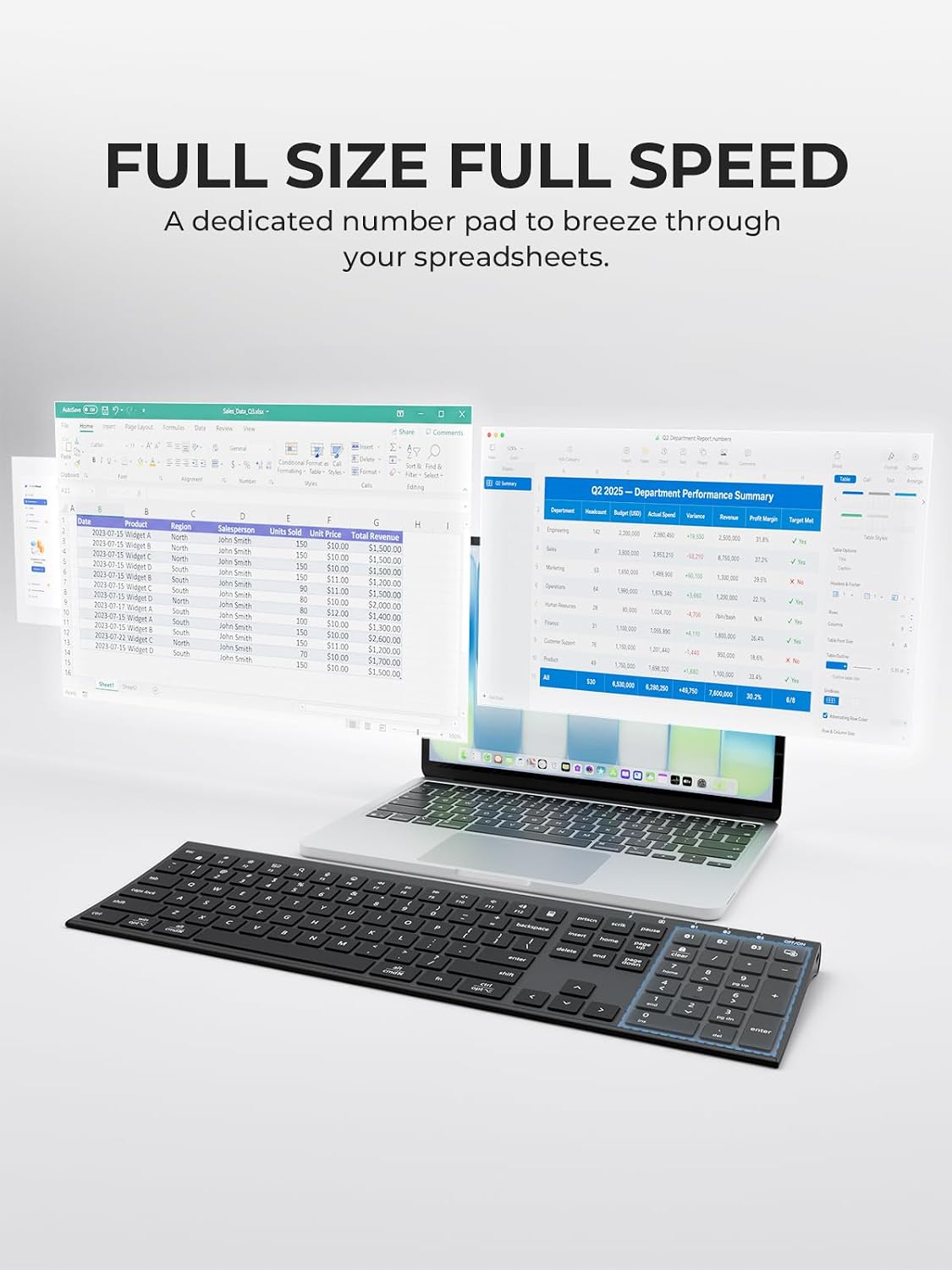
The iClever BK10 Max is a full-size, slim Bluetooth keyboard with a dedicated number pad, quiet low-profile keys and easy switching among three paired devices. It is designed for everyday work with compatible Windows, Mac, Android and iPad devices.
Full-Size Layout with Number Pad
A familiar typing area, function row and separate numeric keypad make the BK10 Max useful for documents, spreadsheets and data entry. Scissor-style keys provide a low-profile typing feel.
Three-Device Bluetooth Pairing
The Bluetooth 1, 2 and 3 keys are the three keys immediately to the left of the Screen Lock key at the right end of the top row. The sliding power switch is on the upper-right edge of the keyboard, separate from the keys. Slide the power switch to ON, then hold BT1 for five seconds to begin pairing. The blue indicator flashes quickly; select BK10 Max in your device's Bluetooth settings. Repeat with BT2 and BT3 to store up to three devices. Press the relevant Bluetooth button once to return to a paired device.
How Do I Pair the BK10 Max Keyboard?
Place the keyboard with the keys facing up and the number pad on the right. Slide the power switch on the upper-right edge to the ON position.
The Bluetooth pairing buttons are the fourth, third and second keys from the right end of the top row, labeled Bluetooth 1, 2 and 3, respectively. The rightmost key is Screen Lock.
- Press and hold Bluetooth 1 for five seconds until its indicator flashes rapidly.
- Open Bluetooth settings on your Windows, Mac, iPhone, iPad or Android device and select BK10 Max.
- To pair a second or third device, repeat using Bluetooth 2 or Bluetooth 3.
- To switch between paired devices, briefly press the corresponding Bluetooth button.
Key Layout
The keys are listed left to right within each row. Navigation and numeric-keypad keys are included at their horizontal positions; the tall Plus and Enter keys extend into the row below. The on/off switch is separate, at the top-right edge of the keyboard.
Top row
| Key | Alternative marking or function |
|---|---|
| Esc | Fn Lock symbol |
| F1 | brightness down |
| F2 | brightness up |
| F3 | switch apps / Mission Control |
| F4 | search |
| F5 | dictation / Siri |
| F6 | emoji |
| F7 | previous track |
| F8 | play/pause |
| F9 | next track |
| F10 | mute |
| F11 | volume down |
| F12 | volume up |
| Calculator | |
| Print Screen | |
| Scroll Lock | |
| Pause | |
| Bluetooth 1 | |
| Bluetooth 2 | |
| Bluetooth 3 | |
| Screen Lock |
Number row
| Key | Alternative marking or function |
|---|---|
| Grave accent / tilde | |
| 1 / exclamation mark | |
| 2 / at sign | |
| 3 / number sign | |
| 4 / dollar | |
| 5 / percent | |
| 6 / caret | |
| 7 / ampersand | |
| 8 / asterisk | |
| 9 / left parenthesis | |
| 0 / right parenthesis | |
| Hyphen / underscore | |
| Equals / plus | |
| Backspace | |
| Insert | |
| Home | |
| Page Up | |
| Numeric Clear / Num Lock | |
| Numeric Divide | |
| Numeric Multiply | |
| Numeric Minus |
QWERTY row
| Key | Alternative marking or function |
|---|---|
| Tab | |
| Q | |
| W | |
| E | |
| R | |
| T | |
| Y | |
| U | |
| I | |
| O | |
| P | |
| Left bracket / left brace | |
| Right bracket / right brace | |
| Backslash / vertical bar | |
| Delete | |
| End | |
| Page Down | |
| Numeric 7 / Home | |
| Numeric 8 / Up Arrow | |
| Numeric 9 / Page Up | |
| Numeric Plus | tall key |
Home row
| Key | Alternative marking or function |
|---|---|
| Caps Lock | |
| A | |
| S | |
| D | |
| F | |
| G | |
| H | |
| J | |
| K | |
| L | |
| Semicolon / colon | |
| Apostrophe / quotation mark | |
| Enter | |
| Numeric 4 / Left Arrow | |
| Numeric 5 | |
| Numeric 6 / Right Arrow |
Shift row
| Key | Alternative marking or function |
|---|---|
| Left Shift | |
| Z | |
| X | |
| C | |
| V | |
| B | |
| N | |
| M | |
| Comma / less-than | |
| Period / greater-than | |
| Slash / question mark | |
| Right Shift | |
| Up Arrow | navigation cluster |
| Numeric 1 / End | |
| Numeric 2 / Down Arrow | |
| Numeric 3 / Page Down | |
| Numeric Enter | tall key |
Bottom row
| Key | Alternative marking or function |
|---|---|
| Left Control | |
| Windows / Option | |
| Left Alt / Command | |
| Spacebar | |
| Right Alt / Command | |
| Fn | |
| Right Control / Option | |
| Left Arrow | navigation cluster |
| Down Arrow | navigation cluster |
| Right Arrow | navigation cluster |
| Numeric 0 / Insert | |
| Numeric Decimal / Delete |
Charging, Indicators and Power
Charge using the included USB-C charging cable and a 5V/500mA USB power source. The indicator glows red during charging and green when fully charged. Full charging takes approximately 2.5 hours. The keyboard enters sleep mode after about 120 minutes of inactivity; press any key to wake it.
Physical Description
The BK10 Max is a broad, thin rectangular keyboard measuring approximately 16.6 inches wide, 5.2 inches deep and 0.7 inches thick. A numeric keypad sits on the right, with dedicated Bluetooth device-selection buttons and the power switch along the upper edge.
What Is the Difference Between the BK10 Max and BK10?
The BK10 Max is wider, at approximately 16.6 inches versus 14.4 inches for the BK10, with more separation between the main keyboard, navigation keys and number pad. The BK10 has a more compact layout for smaller desks, while both models offer rechargeable Bluetooth connectivity and switching among three devices. See the iClever BK10 keyboard.
Technical Specifications
- Model: BK10 Max, black
- Manufacturer item: E03-2519A-40
- Bluetooth: BLE 5.0, 2.402–2.480 GHz
- Operating range: Approximately 26.2 feet (8 meters)
- Battery: Rechargeable lithium, 280 mAh
- Size: 422.5 × 131.7 × 18.72 mm (approximately 16.6 × 5.2 × 0.7 inches)
- Compatibility: Windows, macOS, iOS, iPadOS and Android
Share