

A. T. Guys
Stactiles - Tactile Stickers - Numpad & Modifiers (Black on White)
Stactiles - Tactile Stickers - Numpad & Modifiers (Black on White)
Couldn't load pickup availability
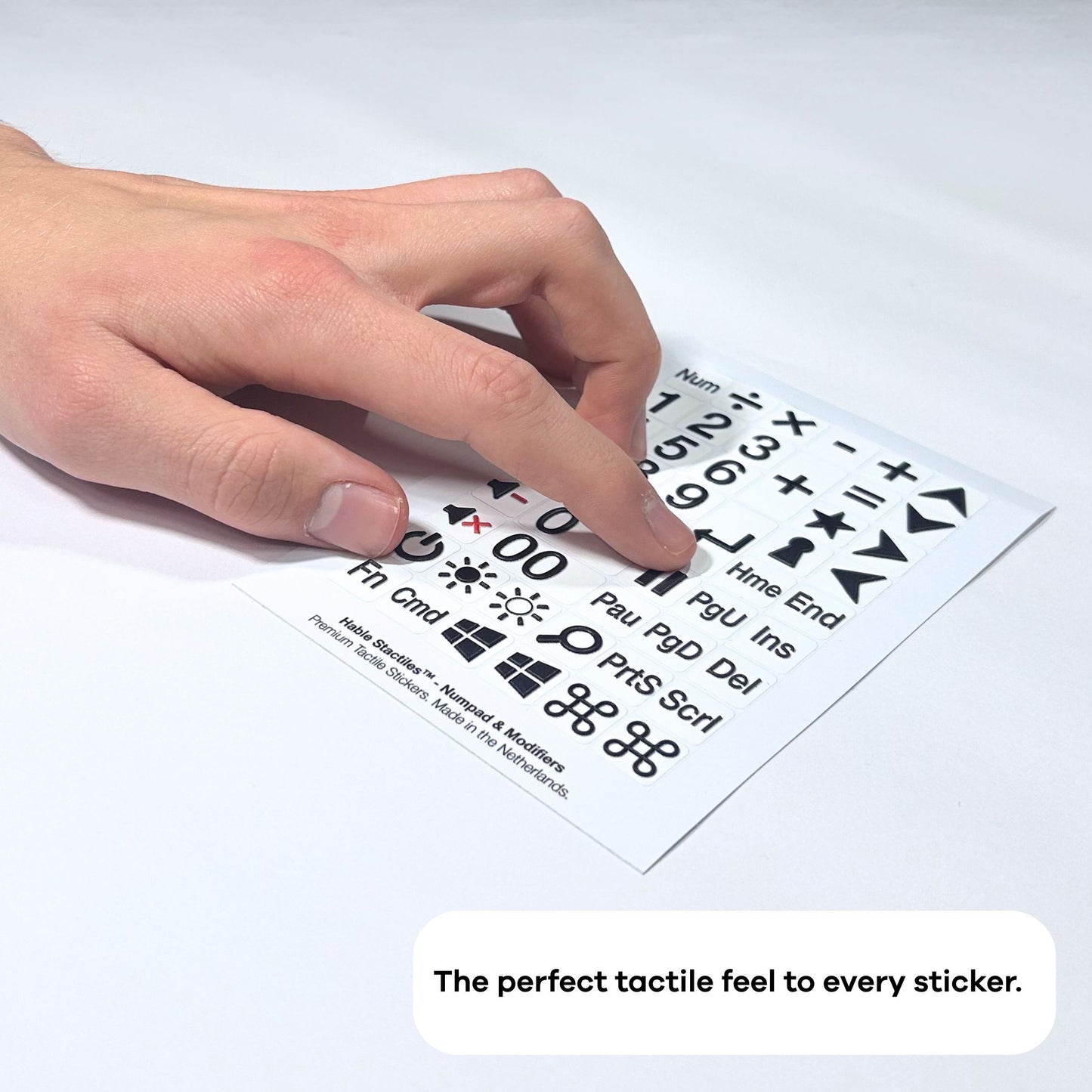
The Stactiles Numpad & Modifiers Sheet is designed for those who need more than just letters. As the perfect companion to the Stactiles QWERTY Keyboard Sheet, these 50 tactile stickers help make a full keyboard accessible by touch.
Beyond the full numeric set, this sheet includes essential system modifiers and shortcuts, including tactile markers for volume up/down, screen brightness, power, and media controls. It also features common navigation keys like Home, End, Page Up, and Page Down.
Built with Stactiles’ signature multi-layer production process, these stickers are engineered for the long haul. They are heat-resistant, waterproof, and designed to stay crisp and readable through years of intense use. Transform your existing hardware into a professional accessible workstation without the need for expensive, bulky external equipment.
Who It’s For
- Students & Learners: A perfect tool for those learning the QWERTY, QWERTZ, or AZERTY layout or transitioning to touch-typing.
- Low Vision & Blind Users: Anyone seeking a high-contrast, tactile-rich way to interact with their computer independently.
- IT & Workspace Managers: An easy, durable way to make office equipment more inclusive and accessible.
Technical Details
- Quantity: 50 stickers per sheet.
- Content: Numbers, math symbols, media controls, and navigation keys.
- Colorway: High-contrast black on white.
- Material: Multi-layer UV-embossed premium vinyl.
- Adhesive: Permanent, industrial-strength grey acrylic adhesive.
- Durability: Heat-resistant, waterproof, and dishwasher-safe.
- Origin: Designed and manufactured in the Netherlands.
What’s in the Package?
Your Stactiles™ Numpad & Modifiers Sheet is delivered in a protective Hable envelope. It’s slim enough to slide right into your mailbox and designed to keep every tactile edge sharp until it reaches your desk. The sheet measures 145 × 100 mm and is ready for immediate application.
Sticker-by-Sticker Contents
Starting top left to right, row by row:
- Num: The abbreviation for the Num Lock key.
- A division symbol.
- An X shape, multiplication symbol.
- A minus sign, subtract symbol.
- A plus sign, add symbol.
- An arrow pointing up.
- The number 1.
- The number 2.
- The number 3.
- A large plus sign symbol, add symbol.
- An equals sign.
- An arrow pointing down.
- The number 4.
- The number 5.
- The number 6.
- A star.
- An arrow pointing right.
- The number 7.
- The number 8.
- The number 9.
- An L-shaped arrow pointing down and left.
- A keyhole icon.
- An arrow pointing left.
- A black speaker icon with a green plus sign, volume up icon.
- The number 0.
- A period or decimal point symbol.
- Hme: The abbreviation for the Home key.
- End: The word "End" for the End key.
- A black speaker icon with a red minus sign, volume down icon.
- The number 0.
- Two thick vertical black bars, pause icon.
- PgU: The abbreviation for the Page Up key.
- Ins: The abbreviation for the Insert key.
- A black speaker icon with a red X, mute icon.
- A double-zero number sticker.
- Pau: The abbreviation for the Pause key.
- PgD: The abbreviation for the Page Down key.
- Del: The abbreviation for the Delete key.
- A power button symbol.
- A sun icon with a solid center for high brightness.
- A sun icon with an open center for low brightness.
- A magnifying glass, a search or zoom icon.
- PrtS: The abbreviation for the Print Screen key.
- Scrl: The abbreviation for the Scroll Lock key.
- Fn: The abbreviation for the Function key.
- Cmd: The abbreviation for the Command key.
- Windows logo.
- Windows logo.
- The symbol for the Mac Command key.
- The symbol for the Mac Command key.
Share